Chalk Tracer · for Mac
Golf shot tracer software for Mac and PC
Drop in your golf videos. Chalk Tracer finds each shot, follows the ball and draws its flight. Shape the line, add the numbers and export for YouTube, TikTok or Instagram.
Mac now, on macOS 12 or later. Windows is in the works.
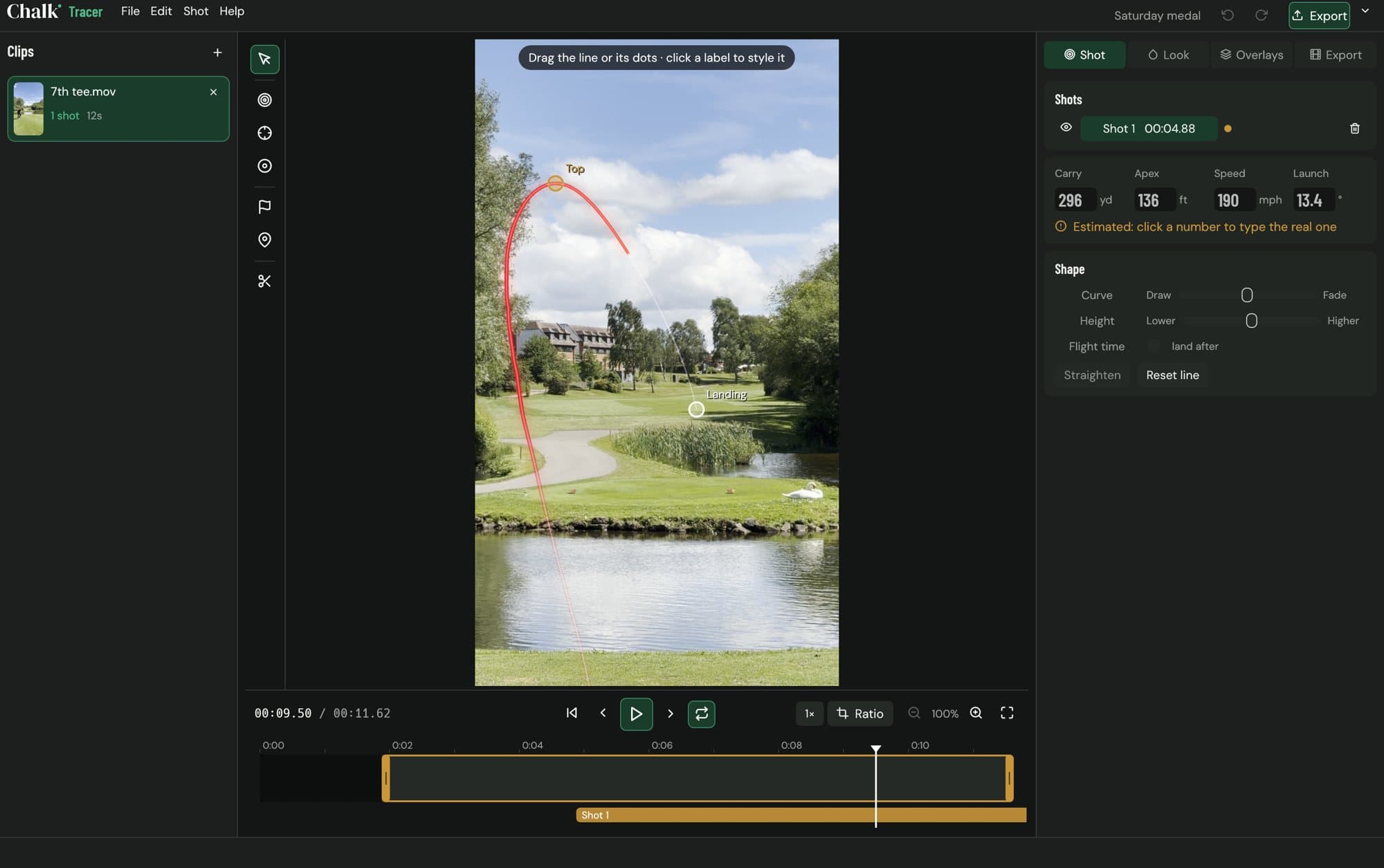
From clip to traced video
- 1
Drop in your clips
One shot or a whole range session. Each clip is traced in the background while you work on the last one.
- 2
Chalk finds the ball
It hears the strike, finds the ball at impact and follows it through the air, even if the camera moves to follow it.
- 3
Shape it and export
Drag the line where you want it, pick a look, add the numbers and export in the shape your platform wants.
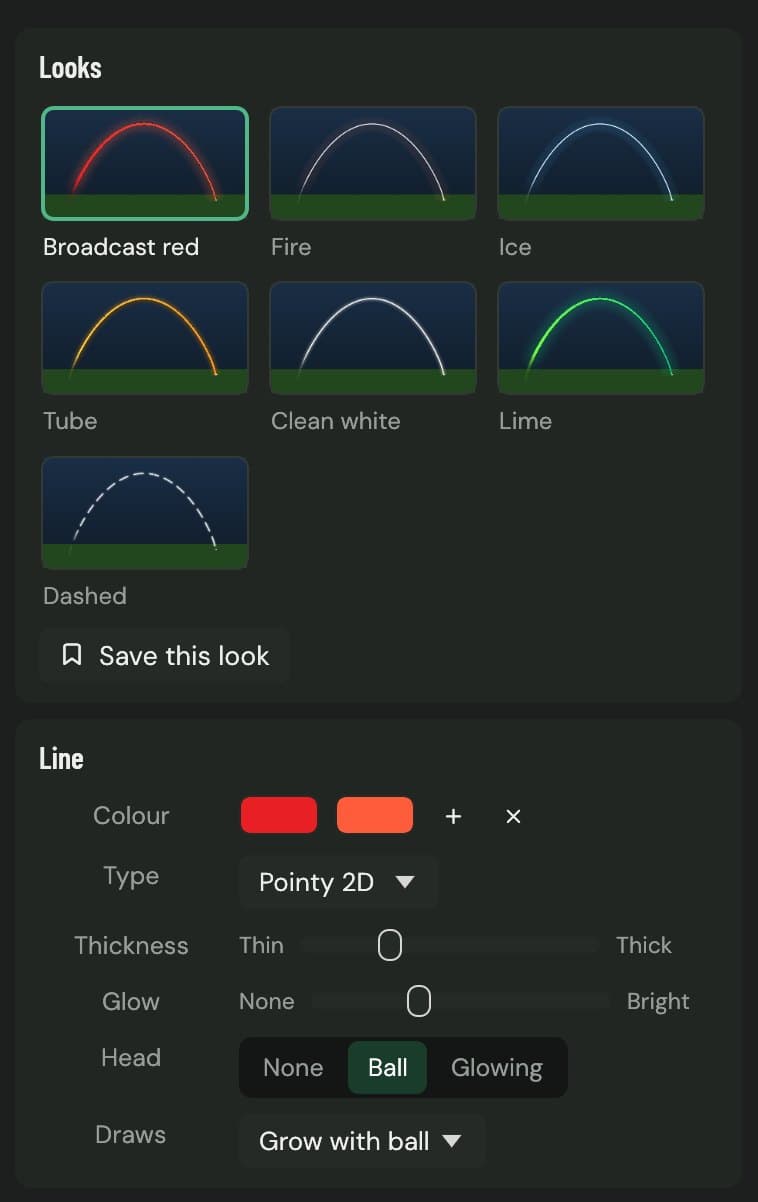
Looks that read on any sky
Start from broadcast red, fire, ice, tube, clean white, lime or dashed. Change the colour along the flight, the thickness, the glow and the ball at the head. Save a look and use it on every shot.
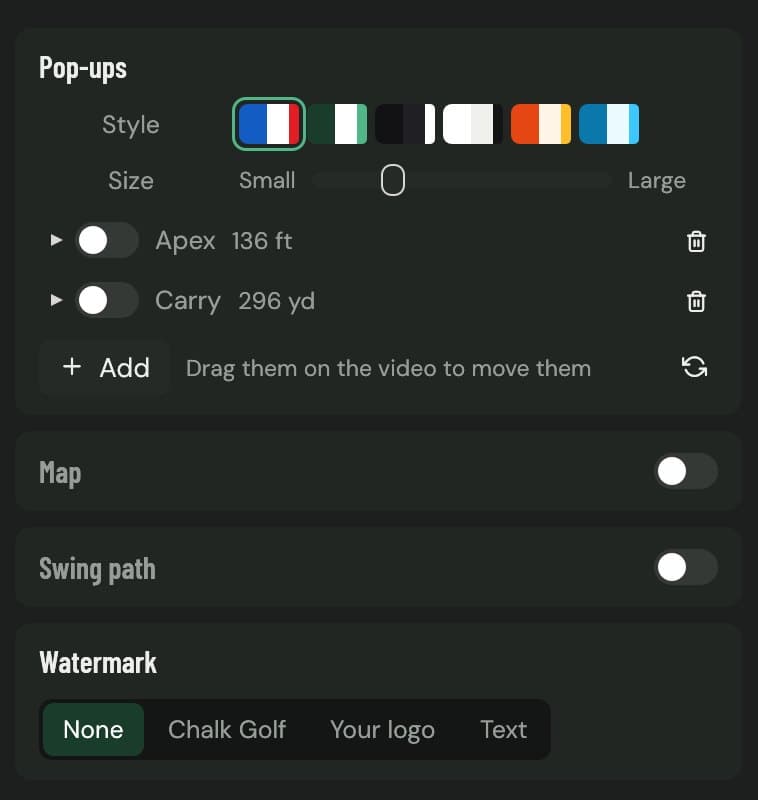
Numbers on the shot
Chalk Tracer estimates carry, apex, ball speed and launch from the video. If you hit it on a launch monitor, type the real numbers in. Pop-ups sit next to the line, and you can add your own logo or text.
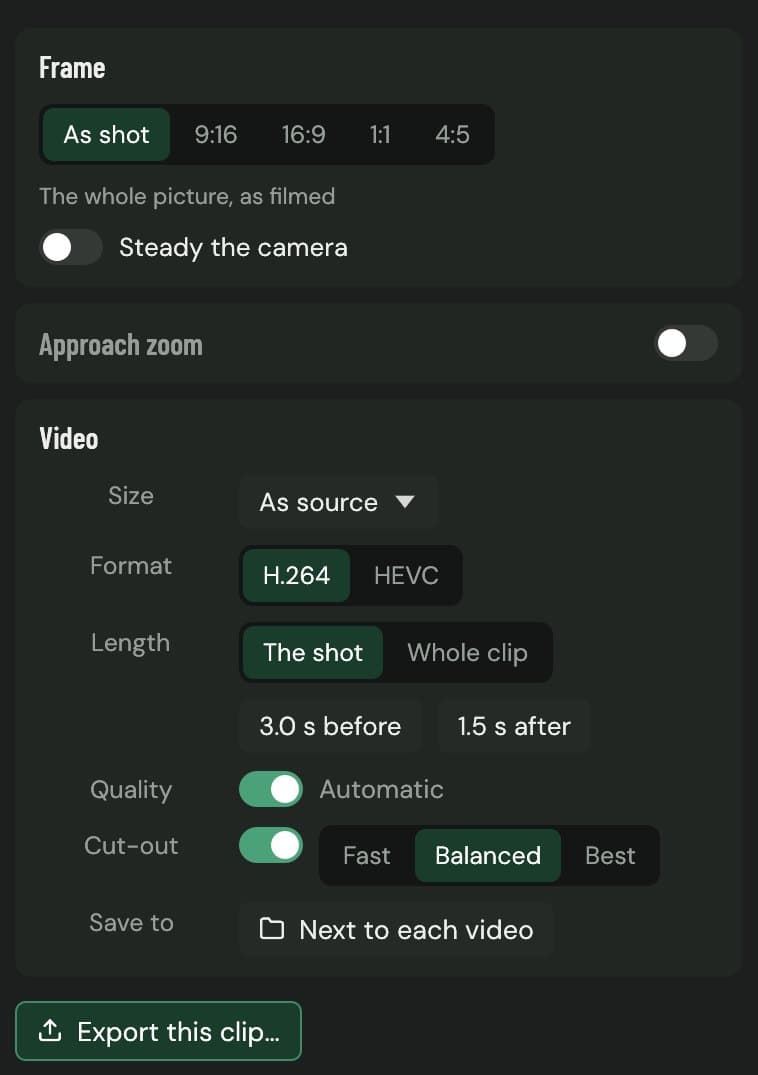
One clip, every platform
Export as shot, or reframe to 9:16 for TikTok, Reels and Shorts, 16:9 for YouTube, 1:1, or 4:5 for the Instagram feed. The crop follows the golfer, then the ball. H.264 or HEVC, up to the size you filmed in.
And the rest
Behind the golfer
The line passes behind the golfer, and behind any tree or building you outline with the mask tool.
Edit the line by hand
Drag the line or its points. Set the curve from draw to fade, the height and the flight time. Pin the ball in any frame.
Putts
The putt tracer follows the roll to the hole and knows when it drops.
Swing path
Draw the path of the hands through the swing, and the swing plane, on the same clip.
Steady and zoom
Steady a handheld clip, or zoom in on the ball as it comes down.
Your videos stay yours
Everything runs on your computer. Nothing is uploaded and there's no account to make.
Film it for a clean line
Stand behind the golfer, in line with the target, with the ball and plenty of sky in frame. A tripod helps. Keep the sound on, because the strike is how the shot is found. 4K or 60 frames a second gives the sharpest line. Ball lost in bright cloud? Pin it in a frame or click where it landed and Chalk Tracer fills in the rest.
Editing by hand in another app instead? The guide to adding a shot tracer to a golf video covers After Effects, Premiere Pro, Final Cut Pro, DaVinci Resolve and CapCut.
Questions
Does Chalk Tracer work on Windows?
Not yet. It runs on Mac today, on macOS 12 or later with Apple silicon or Intel. A Windows version is in the works. Ask for early access, say you're on Windows, and we'll tell you when it's ready.
Which videos can I trace?
MP4 and MOV clips from a phone or camera, up to 4K and 60 frames a second. Film from behind the golfer with the ball and plenty of sky in frame, and leave the sound on: the strike is how Chalk Tracer finds the shot.
Can it trace a clip where the camera follows the ball?
Yes. It works out how the camera moved and keeps the line on the ball. A steady camera on a tripod still gives the cleanest line.
Do I need a launch monitor?
No. The tracer works from the video alone, and the carry, apex, speed and launch it shows are estimates. If you have numbers from a launch monitor, type them in and they replace the estimates.
Are my videos uploaded anywhere?
No. Chalk Tracer finds the ball, draws the line and exports the video on your computer. You don't need an account.
How is this different from Ball Tracer in the Chalk iPhone app?
Ball Tracer traces a shot on your iPhone, straight after you film it. Chalk Tracer is for editing on a computer: whole sessions at once, finer control over the line, putts and swings, and exports sized for each platform.
Trace your next session
Chalk Tracer is in early access on Mac. Email us and we'll send it over.
Get early accessMore from Chalk
Mac and macOS are trademarks of Apple Inc. YouTube, TikTok and Instagram are trademarks of their owners. Carry, apex, speed and launch are estimates from the video.