How does a golf shot tracer work?
By Chalk Golf ·
Every shot tracer does the same job: work out where the ball is, frame by frame, and draw a line through those points as the shot plays. What differs is where the ball's position comes from. There are three answers, and they explain why some tracers look perfect and others guess.
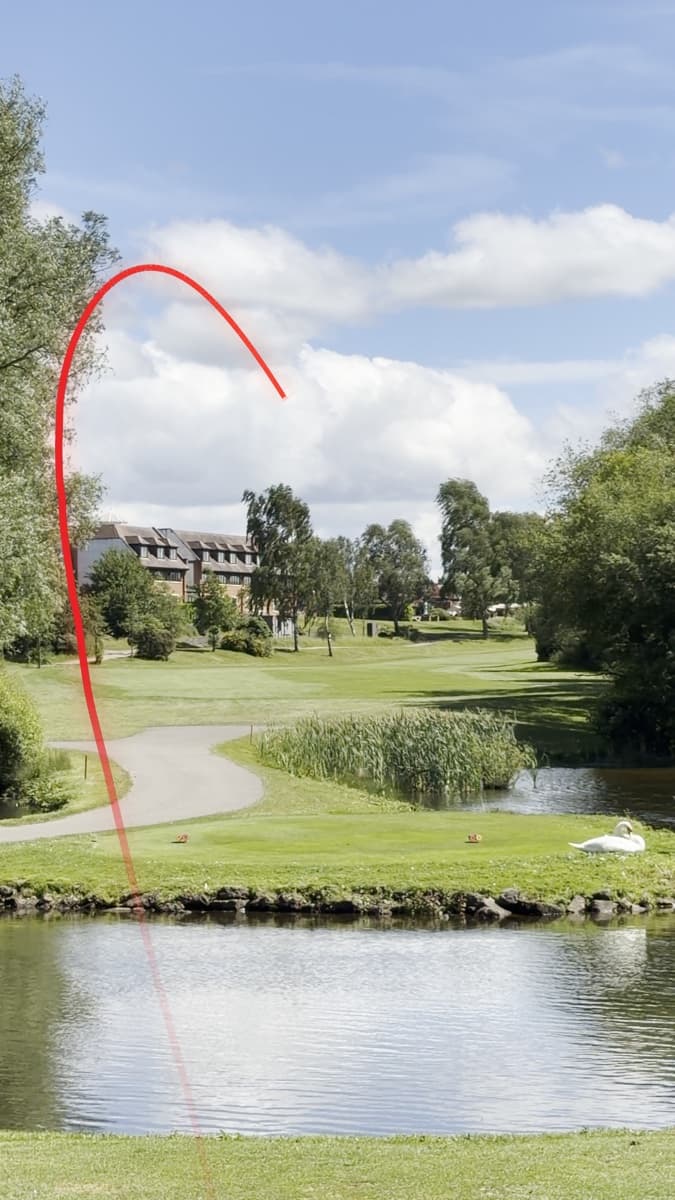
1. Tracers that follow the real ball
The tracers on televised golf, and in driving range bays, follow the real ball. Cameras or radar fixed near the tee watch the ball for its whole flight, and because each camera's position and angle are known, the system knows where the ball is in the air, not just in the picture. The line is drawn from those measurements onto the broadcast feed.
This is the most accurate kind of tracer, and it needs equipment set up in advance. You can't add it to a video you've already filmed.
2. Tracers drawn from a launch monitor
A launch monitor measures the ball as it leaves the club: ball speed, launch angle, spin and direction. Some can draw a tracer over their camera's picture or a video you record alongside. That line is a flight model: the monitor works out how a ball launched that way should fly and draws it, rather than following the ball through the sky.
If the launch was measured well, the line has the right shape and the right carry. It won't show a gust of wind or a ball that hit a tree, because it never saw them.
3. Tracers that find the ball in your video
Tracer apps work from the clip alone. Some are manual: you tap where the ball was struck and where it landed, and the app draws an arc between the two. Automatic tracers have to find the ball themselves. This is how Chalk Tracer does it on a Mac or PC, and how Ball Tracer does it on an iPhone:
- Find the strike. The sound of the club hitting the ball is a sharp, loud click. Listening for it finds the moment of impact, even in a long clip with several swings.
- Find the ball at impact. Before the strike the ball is a small, bright, still spot. At impact it's gone. That pattern tells the tracer where the ball started.
- Follow it frame by frame. Each new frame is compared with the last, looking for a small bright change moving away from the tee on a path a golf ball could take. Just after impact a ball is moving so fast it shows up as a short streak, not a dot.
- Allow for the camera. If the person filming turns to follow the ball, everything in the picture moves. The tracer follows trees, grass and sky from frame to frame, works out how the camera moved, and takes that out, so the line stays on the ball and not on the screen.
- Fill in what it can't see. High in the air the ball can be a pixel wide, or lost against white cloud. The points the tracer did see are fitted to the flight of a real golf ball, with gravity, drag and the lift from backspin, and that flight carries the line to where the ball came down.
- Draw it. The line is drawn over each frame with a glow and a head. If it's set to pass behind the golfer, the golfer is cut out of every frame and laid back over the line.
The last two steps are where tracer apps differ most. A tracer that only draws what it saw stops when the ball gets small. One that only fits a curve can miss a hook or a fade. The best result uses every point it saw and physics for the rest.
Do golf tracer apps work?
Yes, when the ball can be seen. A down-the-line clip, filmed on a tripod with the sound on and plenty of sky in frame, traces cleanly. The problems come from the clip:
- No sky behind the ball. A ball against trees or a hillside is much harder to pick out than one against blue sky.
- Bright white cloud. A white ball against white cloud can disappear entirely. The tracer will estimate that part.
- 30 frames a second. The ball moves a long way between frames. 60 frames a second, or 4K, keeps it visible for longer.
- Stopping the recording too soon. If the clip ends with the ball in the air, the landing is physics, not a sighting.
- No sound. Without the strike to listen for, the tracer has to find the moment of impact from the picture alone, which is harder.
When the tracer gets part of it wrong, a good one lets you fix it: click the ball in a frame where it was missed, or click where it landed, and it traces again from there.
Can you trust the numbers?
Tracer apps often show carry, apex and ball speed beside the line. From a phone video those are estimates. The camera doesn't measure speed or spin, so the numbers come from fitting a flight to what the camera saw, and that depends on guesses such as how high the camera was held. Treat them as a rough guide, and if you hit the shot on a launch monitor, use its numbers instead. In Chalk Tracer you can type them in.
Getting a clean trace
- Stand behind the golfer, on the target line, with the golfer low in the frame and the sky above.
- Use a tripod, or brace the phone against something.
- Film at 60 frames a second or in 4K if your phone can.
- Leave the sound on and keep filming until the ball lands.
For the editing side, including drawing a tracer by hand in After Effects, Premiere Pro, Final Cut Pro, DaVinci Resolve or CapCut, see how to add a shot tracer to a golf video.