Shot tracking
Track every shot, learn your real club distances
Tap Mark at your ball before each shot. Chalk records where you stood, the lie, the yards left and the club, then turns the round into club distances you can trust and strokes gained you can act on.
Get Chalk for iPhone ↗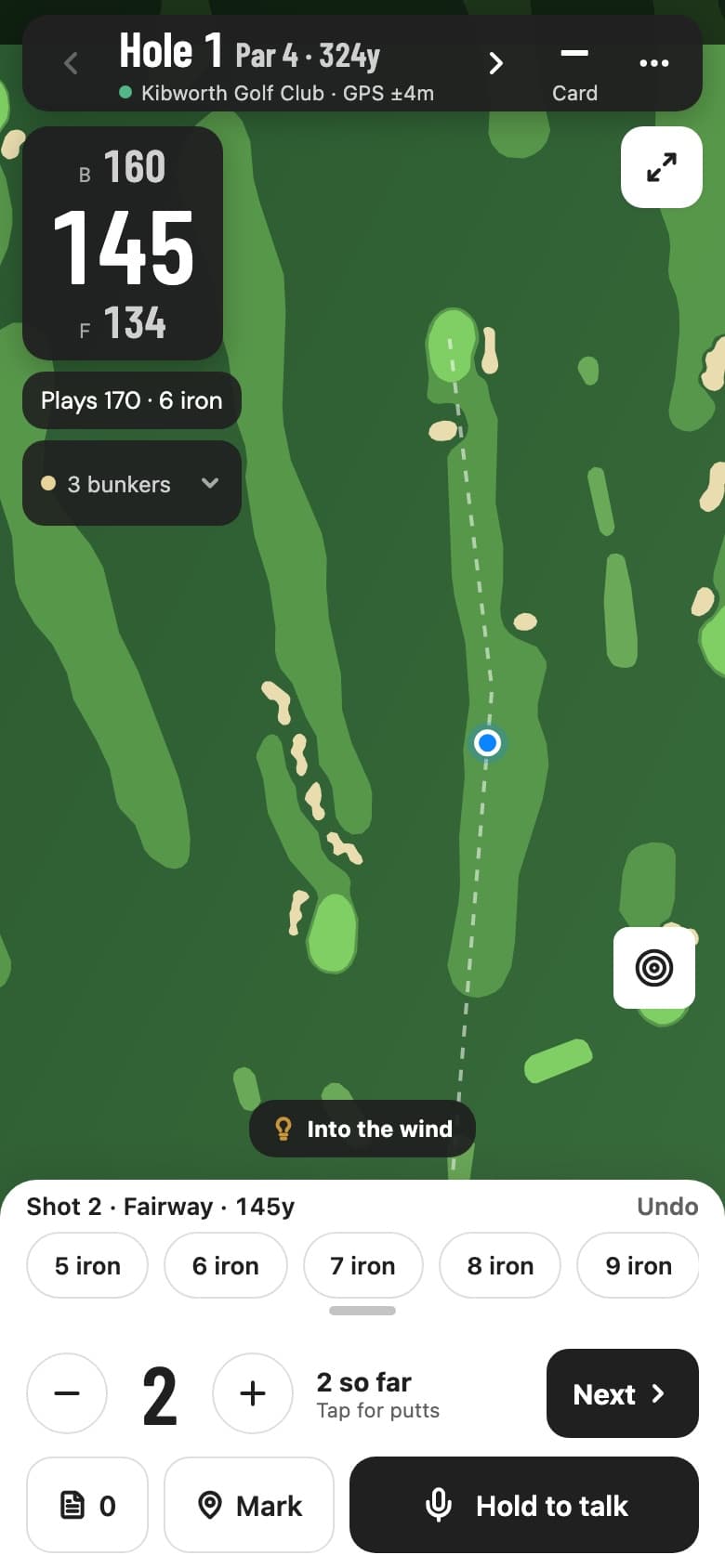
What one tap records
- Where
- Your GPS position when you tap Mark
- The lie
- Tee, fairway, rough, sand or green, read from the course map you're standing on
- Yards left
- The distance from that spot to the green
- The club
- A strip of clubs appears, the likely ones first, picked from your bag for that distance
- Strokes so far
- While the ball is in play the hole reads “2 so far”, and the score fills in when you hole out
- From the wrist
- The Apple Watch has the same Mark button. Marks queue on the watch until your iPhone confirms them
Mark sits in the round dock next to the score, so it takes one tap and no typing. Forget one and the hole still scores as normal; it just won't count towards strokes gained.
Your bag: how far you really hit each club
The distance from one mark to the next is how far that club went. Chalk keeps the median for every club in your bag, from marked shots and from distances you say in voice notes, so one thinned 7 iron doesn't move the number. Your bag is on the Stats tab, and anything you type there wins.
The bag feeds the round. When the yardage says 145 and the plays-like number says 170, the club shown beside it is the shortest one in your bag that gets there.
Strokes gained, from your own round
With every shot marked, Chalk scores each one against the PGA Tour baseline: the expected strokes from where it started, minus the expected strokes from where it finished, minus one. The round summary shows the total for that round, and Stats shows your average per 18 holes in four categories, off the tee, approach, around the green and putting, with the weakest in bold.
A hole only counts once every stroke before the putts has a mark. If the green wasn't marked, the first-putt length is estimated from the approach and the hole says so. Try the maths on a hole you remember with the strokes gained calculator, or read how strokes gained works.
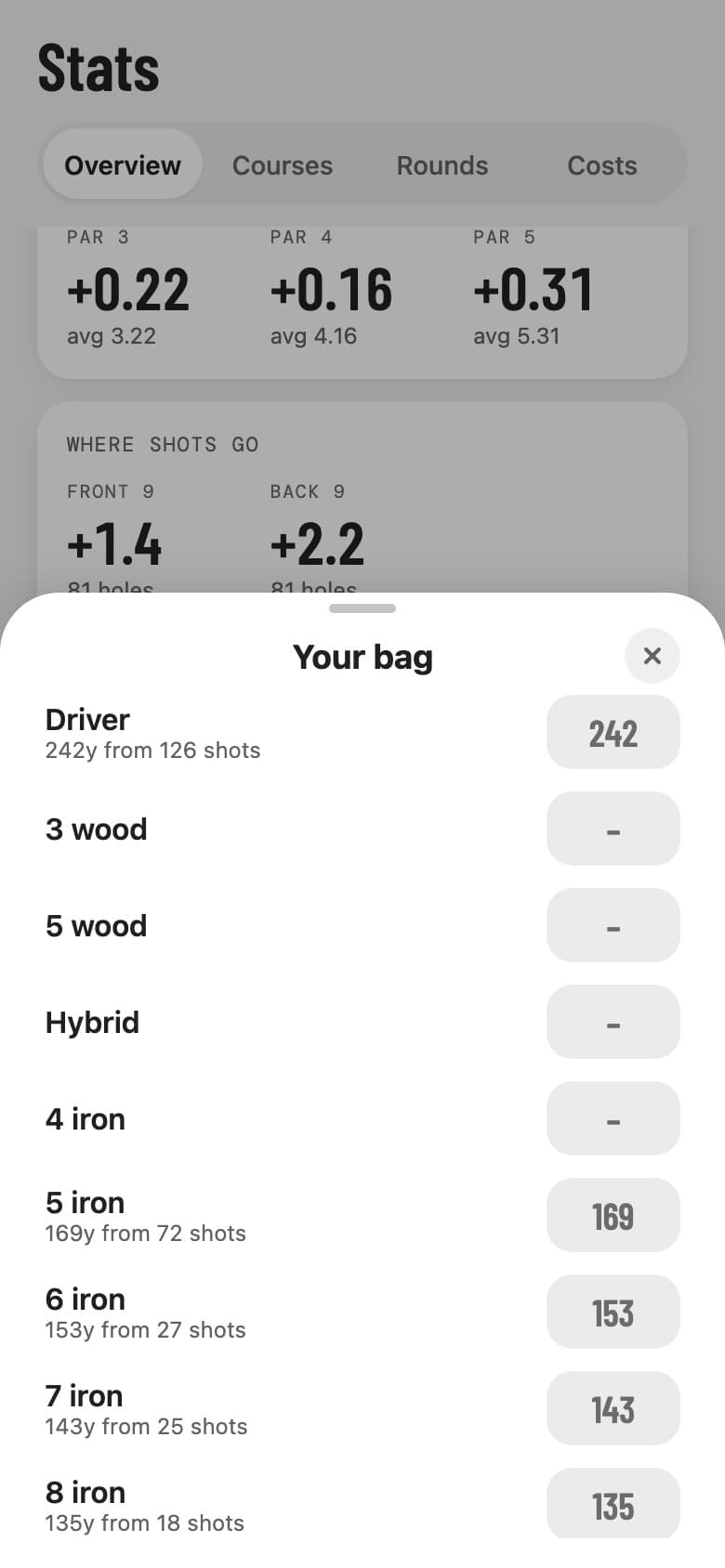
Your bag: the median distance per club from your marked shots. Type a number to override it. 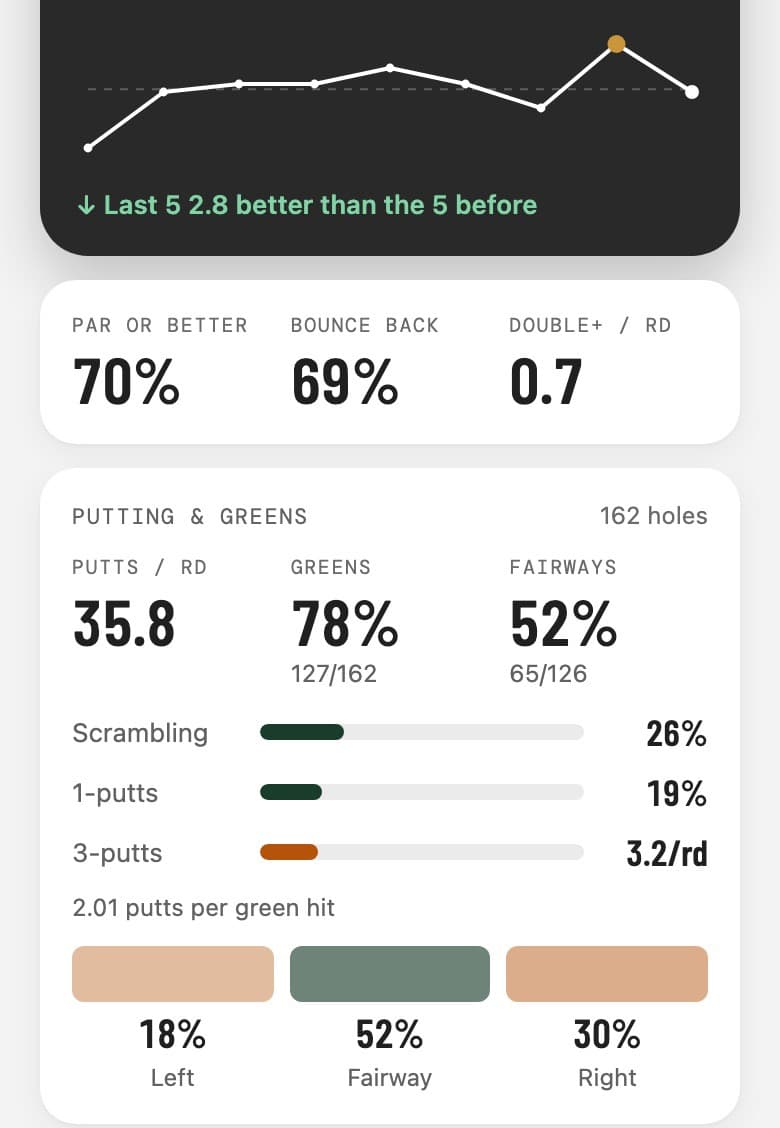
Stats: strokes gained per 18 holes, with the weakest category in bold.
Rendered from the app with sample rounds.
Marks stay yours
Your marked shots feed the hole strategy heat map that shows where Chalk golfers' tee shots finish, and only as cells about 15 metres across that three or more golfers share. No single shot is ever shown, and “don't share my golf” in Settings keeps your rounds out of it altogether.
Questions
Do I need sensors or tags on my clubs?
No. Mark uses your phone's GPS and the course map. There's nothing to screw into a grip, charge or pair, and nothing to forget.
Does shot tracking work on Android?
Yes. Mark, Your bag and strokes gained are in the Android app as well as the iPhone app. The watch Mark button is on Apple Watch.
How does Chalk know the lie?
From the mapped course. The first stroke on a hole is from the tee; after that the lie is fairway, sand or green when you're standing on one of those shapes, and rough when you aren't. On a course that isn't mapped, marks still record the position and the distance.
Can I mark shots in a competition?
Yes. Rule 4.3 restricts slope-adjusted yardages and club advice during a round, not recording where you played from. Competition mode hides the plays-like number, the club pick and tips, and leaves Mark on.
Why does strokes gained need every shot marked?
Each shot is scored by where it started and where it finished, so a hole only counts when every stroke before the putts was marked. If you didn't mark the green, Chalk estimates the first-putt length from the approach distance and says so.
What does a negative strokes gained number mean?
The baseline is a PGA Tour player, so club golfers are negative in every category. A 15-handicapper is around 16 strokes a round behind it. The number to watch is which category loses most, and whether it moves over the season.
Which parts need Pro?
Mark and Your bag are free. Strokes gained is part of Pro.
Related
Positions come from your phone's GPS and mapped course data, so lies and distances are estimates. Looking for a line drawn over your shot on video? That's Ball Tracer.